
QC
What Lolobuy's QC photos actually show
Quality control (QC) photos are the pictures Lolobuy's warehouse takes of your item before it ships onward — your chance to catch a wrong colour, a damaged box, or a mismatched listing before it is too late to do anything about it. This page covers what Lolobuy promises, what the photo standard actually asks staff to shoot, and what to look for yourself.
What Lolobuy promises, and where its own wording disagrees
The help centre's "What is LoloBuy?" page states every purchased item gets a permanent free quality inspection before it enters the warehouse, with five quality-check photos by default plus three more for parcels headed overseas — all described as high-resolution, with extra shots free on request. A separate "Standard inspection service" article, though, gives a range of three to six photos depending on the item, not a flat five. Both are Lolobuy's own published wording; this page is not picking a side, just flagging that the two numbers do not match, so do not be surprised if your own order's photo count falls outside either figure.
There is a second, smaller tension worth knowing about before you assume "free" means unlimited: a separate price list inside the account area lists a paid "fine photo" add-on at a small per-shot charge, capped at five photos. The most likely reading is that the free default covers standard angles and the paid option is for closer, more deliberate shots — but Lolobuy's own text does not spell out the line between the two, so if a listing is borderline, ask support directly rather than assuming either way.
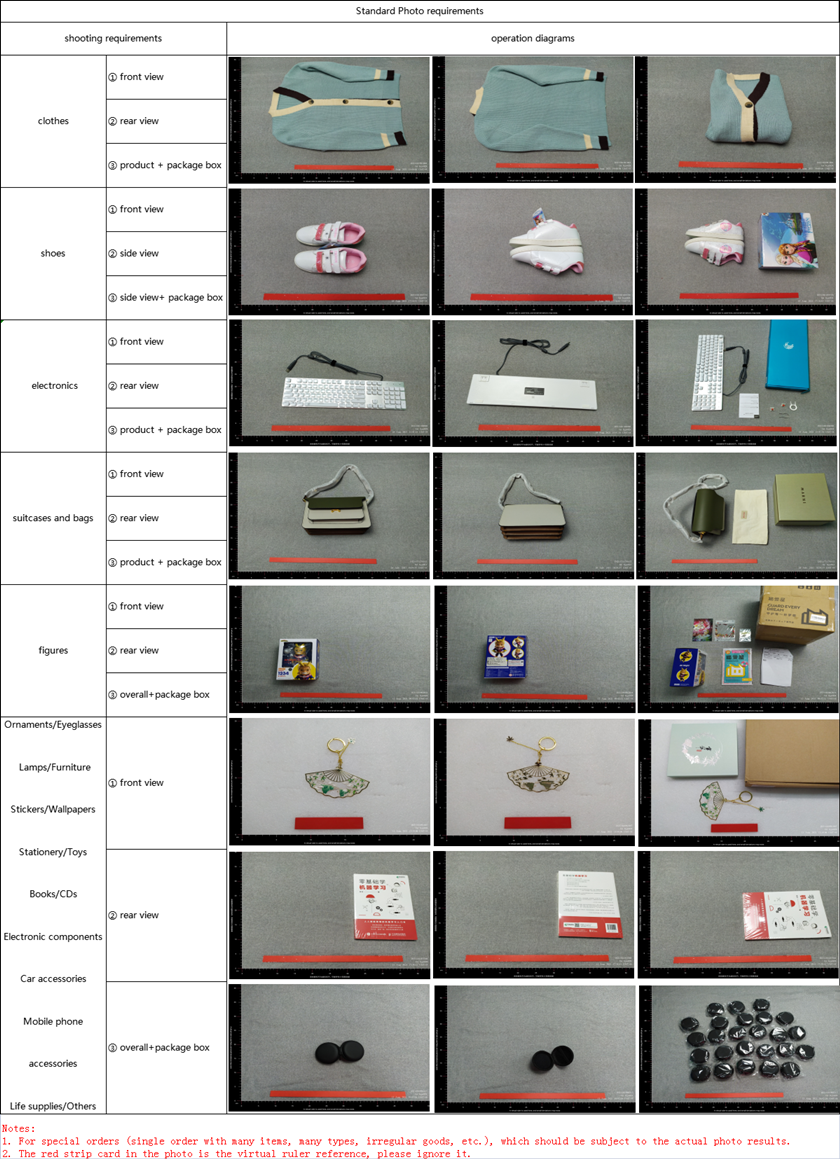
Four things to request before you sign off
- Compare against the listing, not your memory of it. Keep the original listing photo open in another tab; colour, print placement and hardware are the three things that drift most between a seller's studio shot and the actual piece.
- Ask for the angle that is missing. If the standard set does not cover what you care about — the inside of a lining, a serial label, a clasp mechanism — request it before approving. It is a normal ask, not a special favour.
- Read the "actual photo" labelling literally. Lolobuy's own defective-goods guide shows sellers sometimes relabel a product photo as an "actual photo" without it being one — see the comparison below.
- Treat a sealed box as good news, not proof. A still-sealed package photographed from three angles (shown lower on this page) confirms the box has not been opened, but says nothing about what is inside it if the seller shipped the wrong item in the right box.
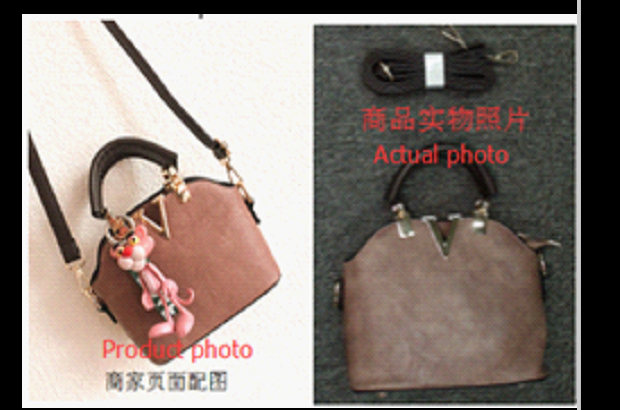
Three real examples of what QC photos catch
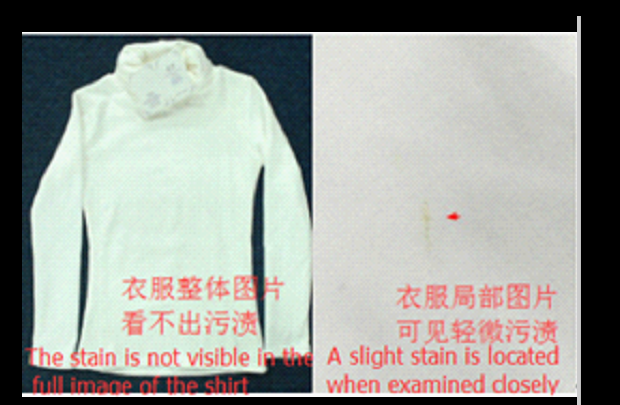
A stain invisible at a distance
The full-garment shot looks clean; a close-up on the same shirt shows a visible mark. This is why a wide shot alone is not enough — ask for a close pass on anything pale or glossy.
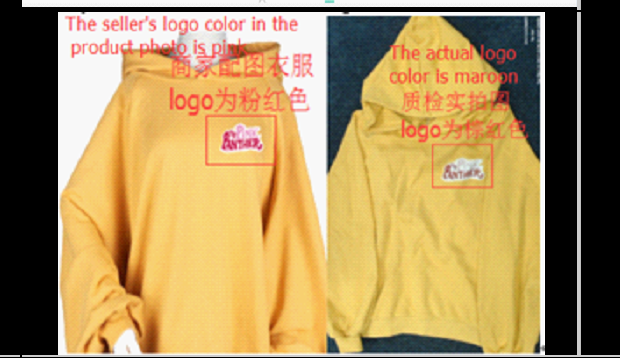
A logo colour that does not match
Pink in the listing, maroon in the warehouse photo, on the same hoodie. Screen-printed logos vary batch to batch more than most buyers expect.
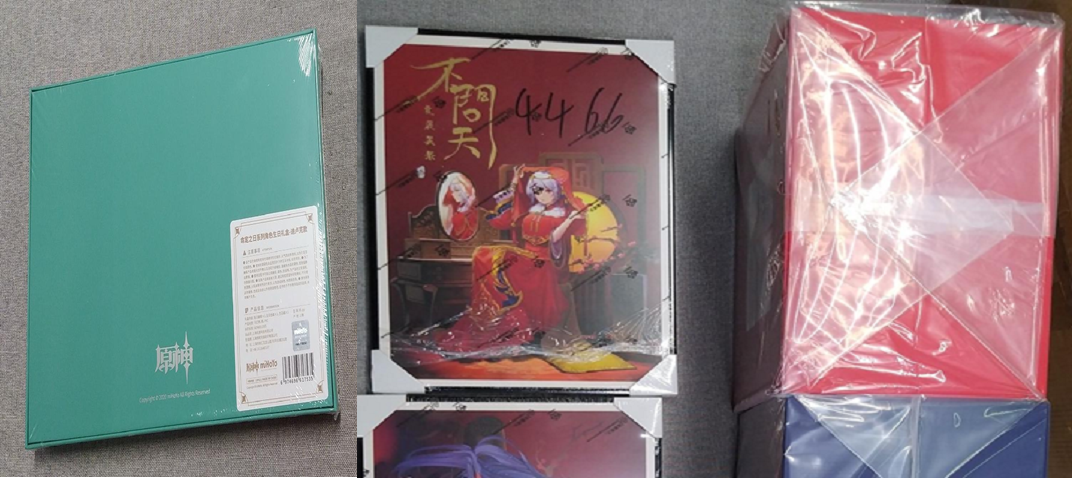
A sealed box, three angles
Confirms the package has not been opened in transit — useful, but it only verifies the outside, not the contents.
Watch a QC pass, step by step
Lolobuy has posted warehouse footage on its official channel before, but the specific inspection walk-through is not one of the clips we are using on this site — see the open slot below rather than a video that does not actually match this page's subject.
In the meantime, the rail directory lists specific QC points per item, and picking items covers what to check before you order in the first place, not just after.